One project.
One data spine.
Estimating, bidding, job management, field progress and crew time built to share the same project. A takeoff becomes an estimate, an estimate becomes a bid, an awarded bid becomes a job, and the job’s hours come back as production history. Nothing gets retyped, so nothing drifts.
Already a customer? Open your app →
One project, start to finish.
The same project record carries from the first measurement to approved payroll — and what actually happened in the field comes back to sharpen the next estimate.
Enter the job once.
Six systems carry it.
Each one is useful on its own. Together they stop the same job being rebuilt at every handoff. Click any card for a plain walkthrough of what that system does and where it sits in the workflow.

WattEstimate
Measure the drawings, count the fittings, build the assemblies, price labor and material, and carry the same estimate forward into the bid.

FireWatt
Firestop takeoff, penetration types, production rates, UL systems, pricing, proposals and submittal work in one estimating workflow.

BidWatt
One board for what is bidding, what is due, who owns it, what was sent, what was awarded and what needs a follow-up.

JobWatt
Awarded work carries into operations: daily logs, photos, labor and production tracked from the same project.

PlanWatt
Open the plan set on a phone or iPad, mark installed work, add photos and notes, and see progress build sheet by sheet.

TimeWatt
ST, OT and DT by job from the field, then the review tools foremen, managers and billing need before payroll.
Not a chatbot. A crew member.
WattBot handles the reading, searching, summarizing and repetitive steps around the work — specs, project documents, routine drafts. It reads and drafts. Your people decide. It is designed to run on supported local hardware for the workflows configured that way.
The 1998 PC motif as a supporting visual, paired with real WattBot output or a real spec-review screen. The page should prove the software, not only the metaphor.
The demo runs in your browser — no account, nothing to install.


- A-010 · threshold
- A-011 · clock
- A-100 · table
- A-110 · shelf
- A-200 · board
- A-210 · corner
- A-400 · jobwall
- A-300 · pc
- A-410 · window
- A-420 · plans
- A-500 · map
- A-600 · panel
- A-011 · clockout
Software built
for the trades.
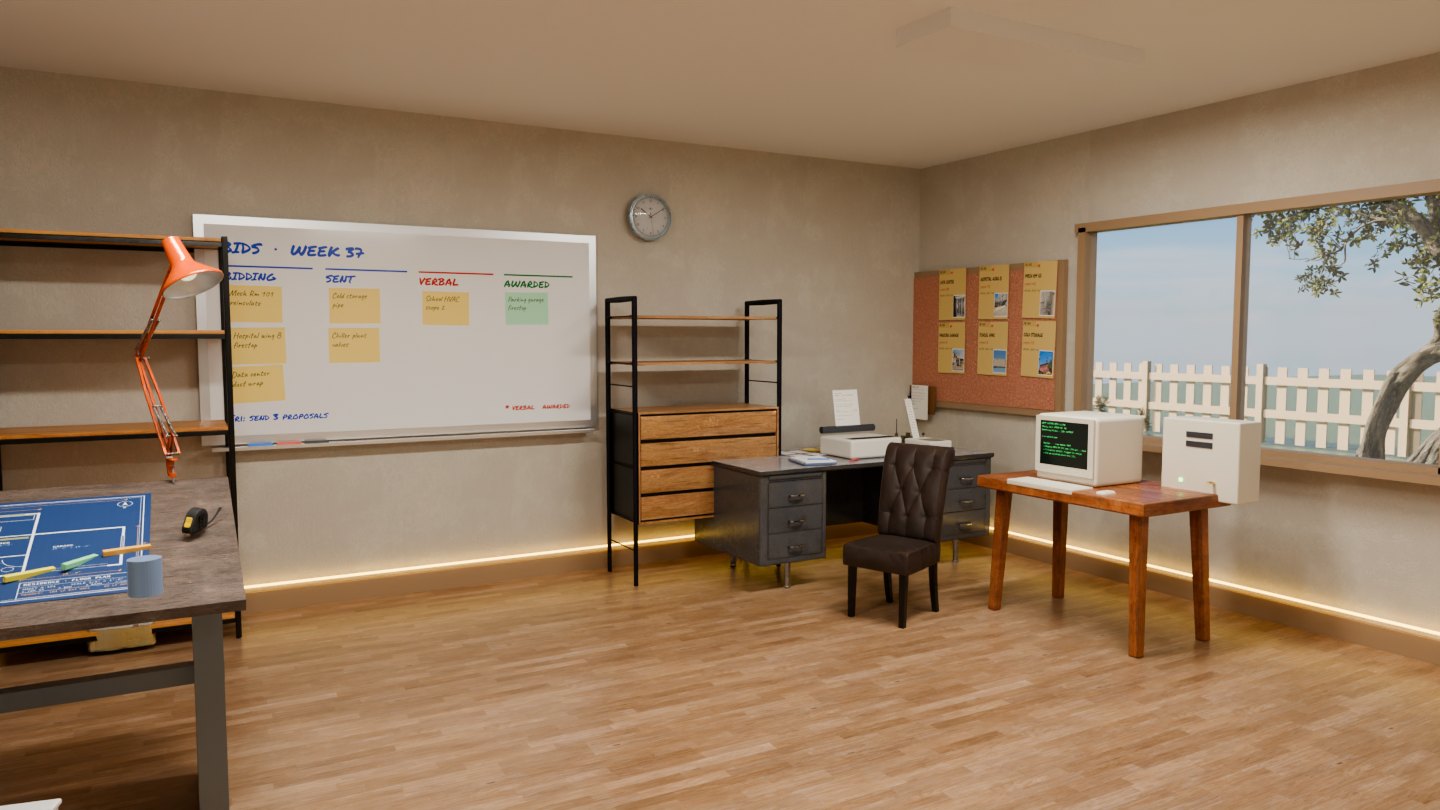
Eleven tools on one data spine, each one where it belongs in a working estimating shop. The amber wire along the baseboard is the spine. A takeoff becomes an estimate, an estimate becomes a bid, a bid becomes a job, a job becomes hours. Nothing gets retyped, so nothing drifts.
Your workflow, turned into software.
Some businesses have a process too specific for off-the-shelf software and too important to keep running through spreadsheets, folders and text messages. We build focused operational software around the way that business actually works — estimating, quoting, scheduling, field reporting, approvals, portals, dashboards.
LawnWatt is the working proof. It was built around a landscaping operation’s real day, which is why it looks nothing like the contractor platform above. Same method, different industry.
Real LawnWatt screens on safe demo data — the customer and property list beside the working schedule.
A Custom Watt System, not part of the core contractor platform.
No magic. Just the job,
done right in software.
One connected spine
Project name, client, scopes, dates: entered once. A WattEstimate takeoff becomes a BidWatt bid; an awarded bid becomes a JobWatt job. Nothing gets retyped, so nothing drifts.
AI where it actually pays
Spec scanning, bid-invite email intake, job-health narratives. That’s WattBot working. It reads and drafts; your people decide. If it doesn’t save hours this week, it doesn’t ship.
Built by the user
Most construction software is built by people who’ve never priced a job. This suite runs a real estimating desk and real field crews first. The product is the byproduct.
Shipped from the jobsite
Every screen exists because someone on a crew needed it that week. Feedback on Monday becomes a feature by Friday. That loop is the whole company.
The tools came first.
The company came second.
Watt Systems started inside a working mechanical insulation contractor, with real bids going out the door every day. BidWatt was built to run an estimating desk. JobWatt followed the work into the field. FireWatt priced the firestop scope nobody had good software for. SubWatt ended the where’s-the-travel-rate scramble for good.
There was never a pitch deck. There was a rule: if it doesn’t save an estimator, PM, or foreman time this week, it doesn’t ship. The name came later. The rule never changed.
We do not publish customer counts, time-savings percentages, security certifications or integration claims we cannot demonstrate. Where a capability depends on configuration, the product pages say so. Ask us what is shipped versus planned and you will get a straight answer.
A small team that still prices real work. That is the reason the software fits the trade, and the reason feedback from a desk on Monday can be in the product this week.
Free because they should be.
Four browser tools we needed ourselves. No sign-up, no watermark, no trial clock. Open one and get on with the day.

SubWatt
SubWatt turns travel and subsistence schedules into a map-driven lookup.
What it does →
PDFWatt
Open, mark up, measure, edit and reorganize PDFs in the browser.
What it does →
WordWatt
WordWatt is a lightweight browser word processor for real Word files.
What it does →
SheetWatt
SheetWatt opens and saves real .xlsx files in the browser.
What it does →Asked at every desk
we’ve sat at.
Can we run just one product?
Yes. Every product stands alone, and plenty of shops start with one. The spine is simply there the day you add a second one, so your data connects without a migration project.
Can we see it before signing anything?
Yes. Every product page has a demo request, and the free browser tools plus the WattBot demo need no account at all. Bring a real workflow to the call and we will walk through your scope, not a canned script.
Does it work in the field with bad service?
The field workflows are built for phones, and offline-tolerant behavior is part of the design. Ask us which specific screens are offline-ready in the release you would be running.
We already have a process. Will this fight it?
No. It was built inside a shop with a process. Statuses, scopes, breakouts and templates are yours to shape. The tools bend to how your desk already runs; they don’t hand you someone else’s workflow.
Is the AI going to price my work?
No. WattBot reads, drafts, and flags — it scans specs, summarizes job health, finds rates. Estimators price the work. That line doesn’t move.
What is a Custom Watt System?
Purpose-built operational software for a workflow that off-the-shelf tools do not fit — estimating, scheduling, field reporting, portals, approvals, dashboards. LawnWatt is the working example, built for a landscaping operation rather than a mechanical contractor.
Is LawnWatt part of the contractor platform?
No. LawnWatt is a Custom Watt System shown as proof the method transfers to other industries. The core platform is WattEstimate, FireWatt, BidWatt, JobWatt, PlanWatt and TimeWatt.
Where does our data live, and who can reach it?
Each product is its own deployment with access control enforced in the data layer, not just the interface. The Security & Data page explains the architecture and is explicit about the claims we will not make until they are verified.
Put the spine under your shop.
Tell us what your desk runs on today. We’ll show you the one product that saves the most time first, and where the spine picks up from there.