 BidWatt
Every bid. One board.
BidWatt gives the estimating team one place to see what is bidding, what is due, who owns it, what was sent, what was awarded and what needs a follow-up. Client history, bid rounds, scopes and project documents stay attached to the opportunity instead of scattered across inboxes and spreadsheets.
Already a customer? The app link goes straight to sign-in.
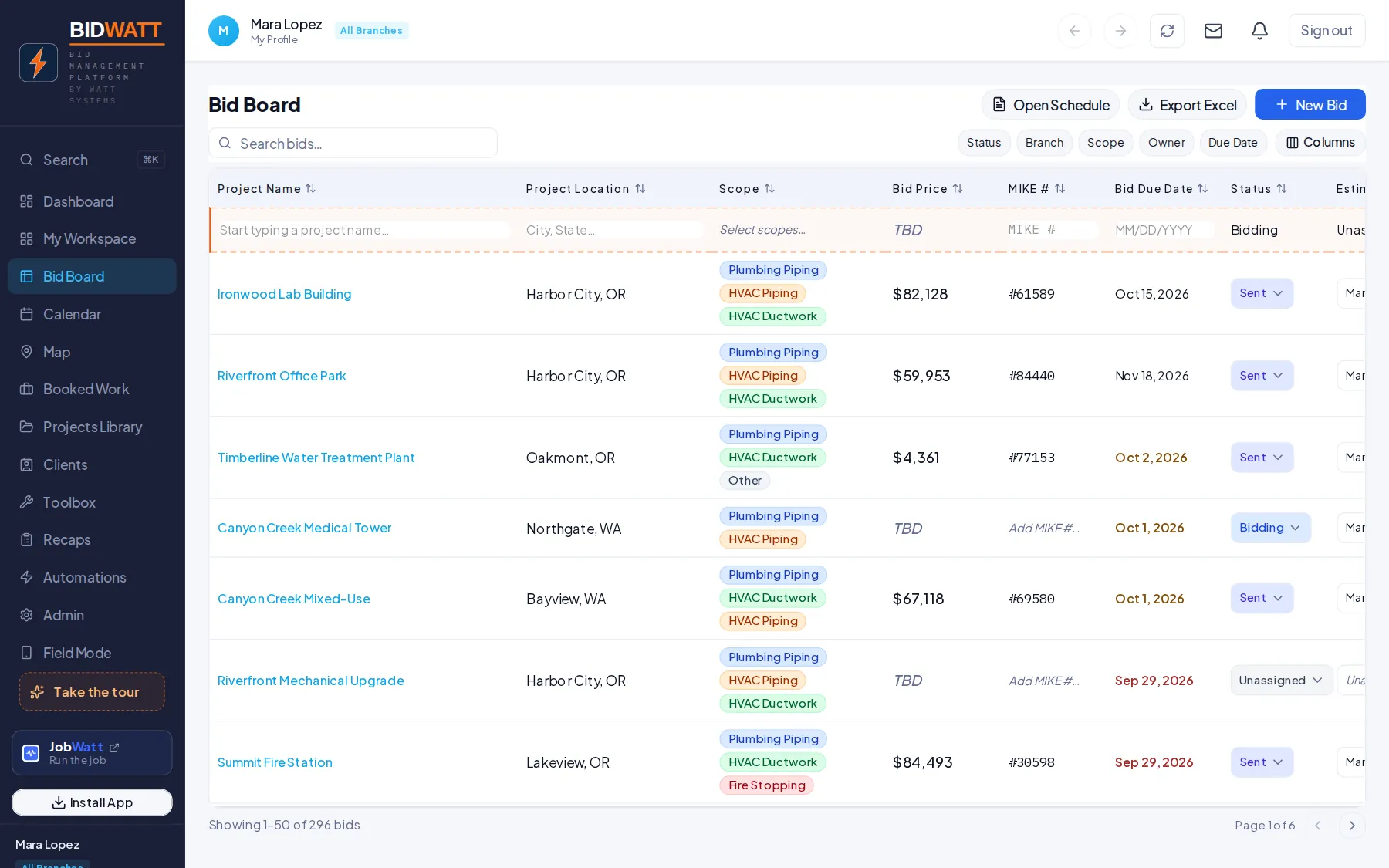
Demo project · a real screen from the app
If the status meeting exists to read the spreadsheet out loud, the system is the problem.
Bid tracking falls apart when invitations live in email, due dates live on calendars, scope history lives in somebody’s notes and the official status lives in a spreadsheet only one person trusts.
BidWatt gives the whole estimating desk the same board.
See the pipeline at a glance.
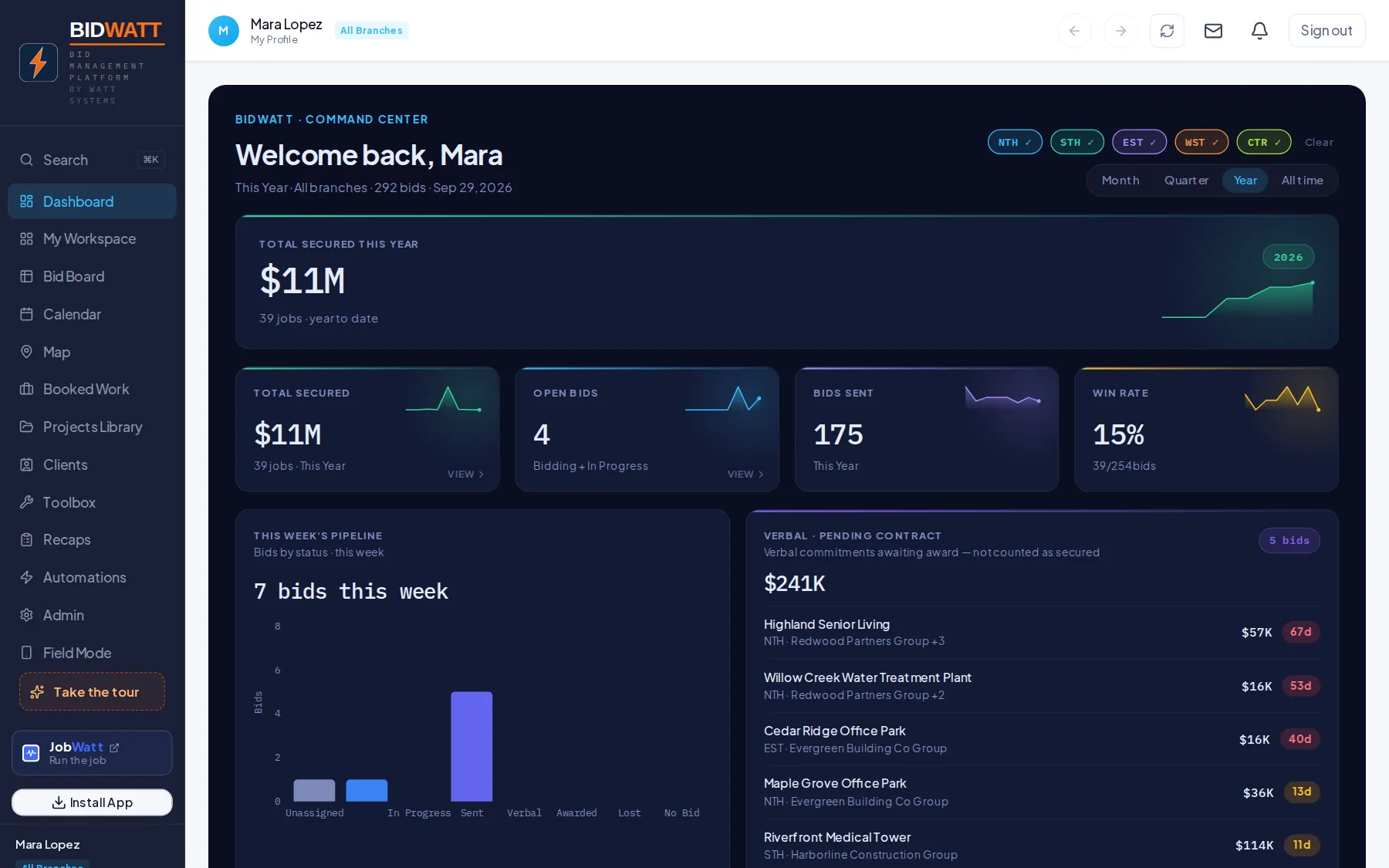
Track work through Bidding, Sent, Awarded, Lost, Verbal, Partial Award or the statuses your shop uses. Filter by branch, estimator, due date, client or scope so the next action is obvious without another meeting.
Keep the client history with the bid.
Track who asked for the number, which GC or customer is carrying it, what scopes were quoted, what rounds were issued and how the opportunity changed over time.
A project detail page with client, contacts, scopes and bid rounds.
Bring the invite into the system instead of retyping it.
Where email intake is enabled, BidWatt can pull useful project information from bid invitations so the estimator starts with a project record instead of another copy-and-paste task.
Bid-invite intake, then parsed project fields, then review and confirm.
Specs and documents stay attached to the opportunity.
Keep the bid documents with the bid. Where spec scanning is available, it surfaces the information the estimator needs to review — it does not make the pricing decision.
A document list and spec-scan output with review flags and source references.
Award it once. Carry it forward.
When a bid becomes a job, the project record should not be recreated from memory. The connected Watt workflow can carry the awarded project into JobWatt so operations starts with the same core information estimating already built.
A Sent or Awarded action leading to a JobWatt project card — the supported handoff only.
Bidding is where the project record gets built.
Bid invitations, project and client details, estimate information, scopes, due dates and documents.
Pipeline management, ownership, bid rounds, client history, follow-ups and status.
Awarded work can become a JobWatt project where the integration is enabled.
WattEstimate can supply estimate and project context where connected.
Built for the people doing the work.
- Estimators
- Chief estimators
- Preconstruction managers
- Branch managers who need bid visibility
- Small teams replacing a shared bid spreadsheet
It should fit how you already work.
We do not publish customer counts, time-savings percentages, certifications or integration claims we cannot show you in the product. If a capability is planned rather than shipped, we will say so on the call.
BidWatt, answered straight.
Can we keep our own bid statuses?
Yes. BidWatt is built around your real pipeline rather than forcing a generic CRM sales funnel onto the desk.
Does it replace our email?
No. Email intake reduces duplicate entry. BidWatt is the project and bid record, not an inbox replacement.
Can multiple estimators see the same board?
Yes, where team access is configured. Shared pipeline visibility is the point of the product.
Can we track multiple bid rounds?
Yes. Bid rounds and scope pricing stay attached to the same opportunity so the history does not disappear when a revision comes out.
What happens when we win?
Where connected, the awarded project can move into JobWatt instead of being rebuilt as a new project.
Replace the bid spreadsheet with a board your whole desk can use.
Show us your current bid tracker. We’ll map the same statuses and workflow in BidWatt and show what happens when a project moves from bidding to awarded.