 FireWatt
From penetration to proposal — without the spreadsheet maze.
FireWatt brings firestop takeoff, penetration types, production rates, UL systems, pricing, proposals and submittal work into one estimating workflow. Build the scope once and keep the information attached all the way through the bid.
Already a customer? The app link goes straight to sign-in.
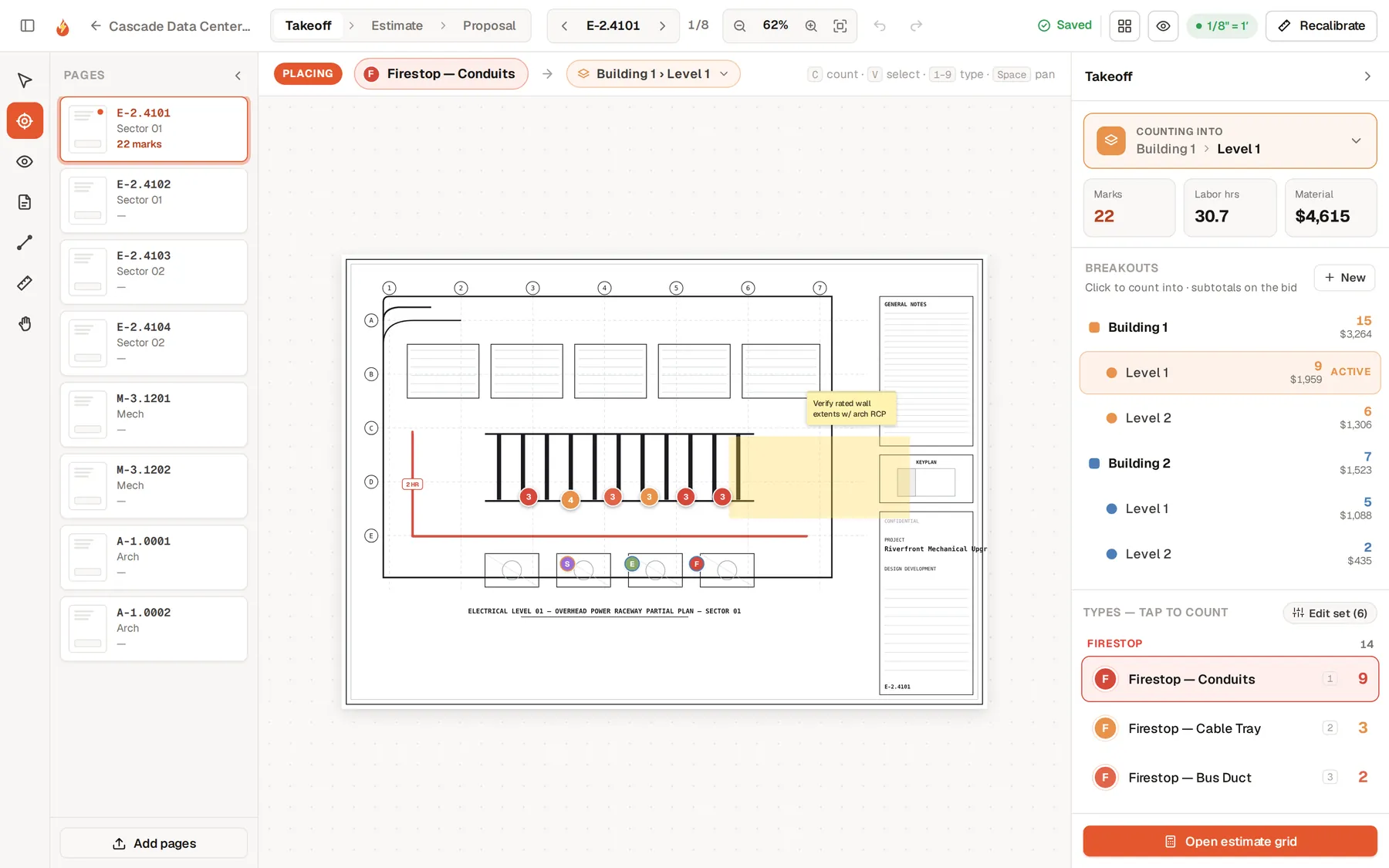
Demo project · a real screen from the app
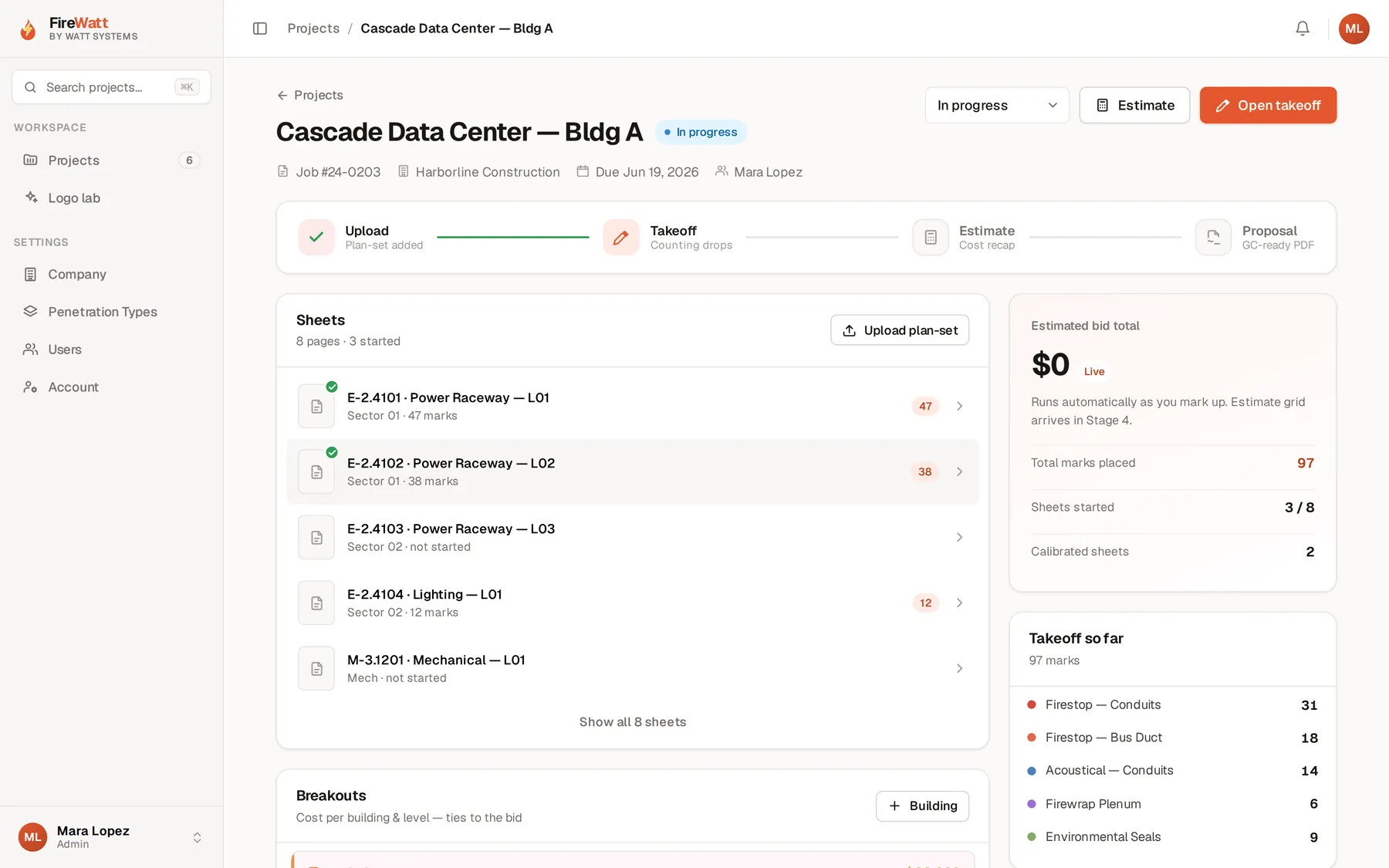
Firestop bids should not live in six disconnected places.
A typical firestop estimate can bounce between PDF markup, Excel takeoff sheets, rate tables, UL searches, proposal templates and a separate submittal folder. The estimator becomes the integration layer.
FireWatt puts those steps on one project.
Take off penetrations on the drawings.
Mark the plans, organize the penetrations and keep the quantity tied to the location it came from. Build a repeatable takeoff instead of translating colored marks into another worksheet after the drawing is done.
Build penetration types that remember the work.
Define the condition once — assembly, penetrating item, size range, annular space, material and labor assumptions — and reuse it across the estimate. The goal is to stop rebuilding the same firestop math on every project.
The create-penetration-type workflow and a compact library of saved types.
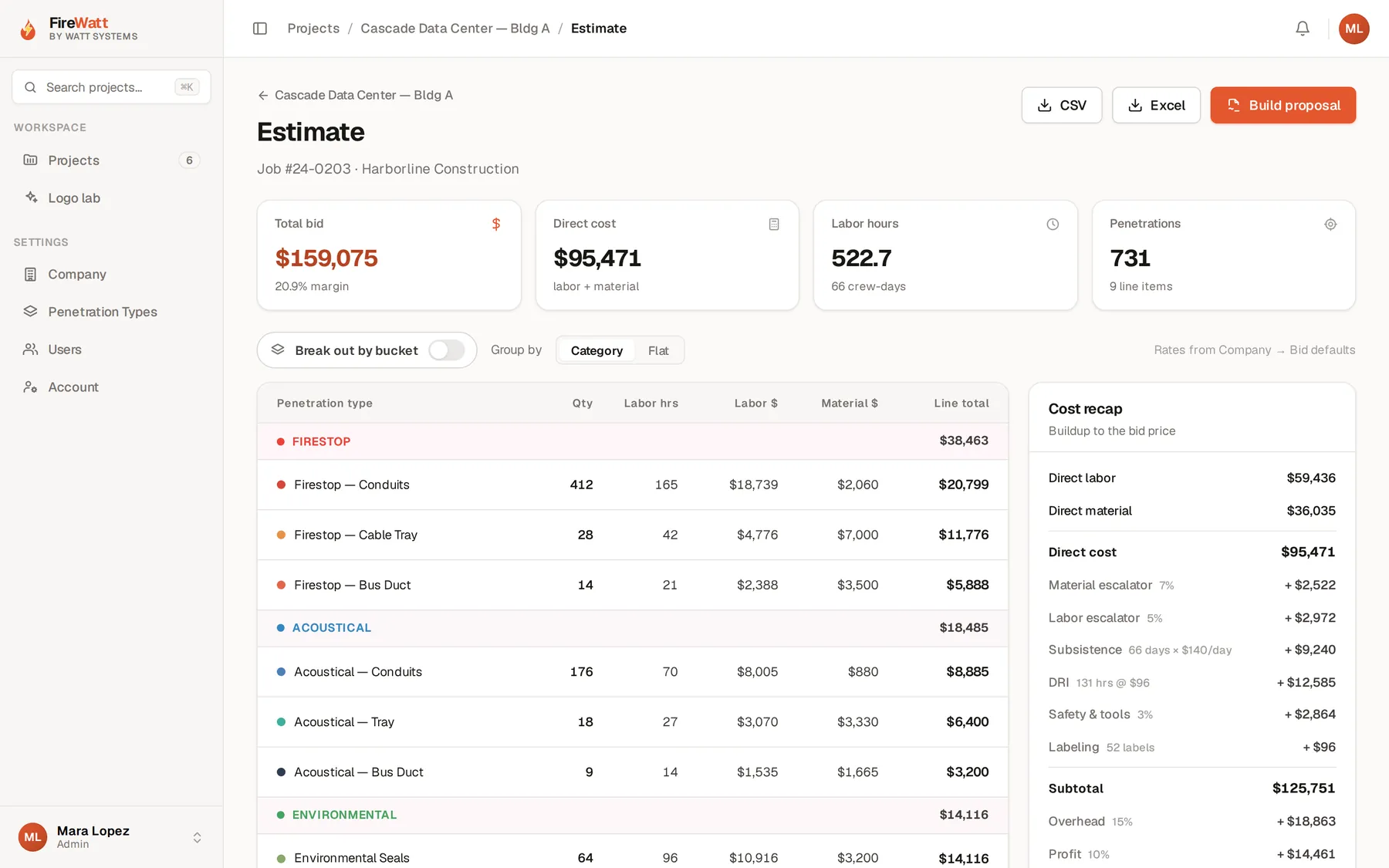
Put production and material rates where the takeoff can use them.
Rate tables belong inside the estimate, not in a separate workbook somebody has to keep open beside it. Apply the right assumptions to the right penetration type and keep the math visible.
Bring UL systems into the workflow.
Match or suggest the applicable UL systems while the estimator is building the penetration type, then keep those selections available for the submittal package. Less searching, less dragging files between folders, less chance of losing the basis of the bid.
UL suggestion and selection beside a penetration type, and the UL material library.
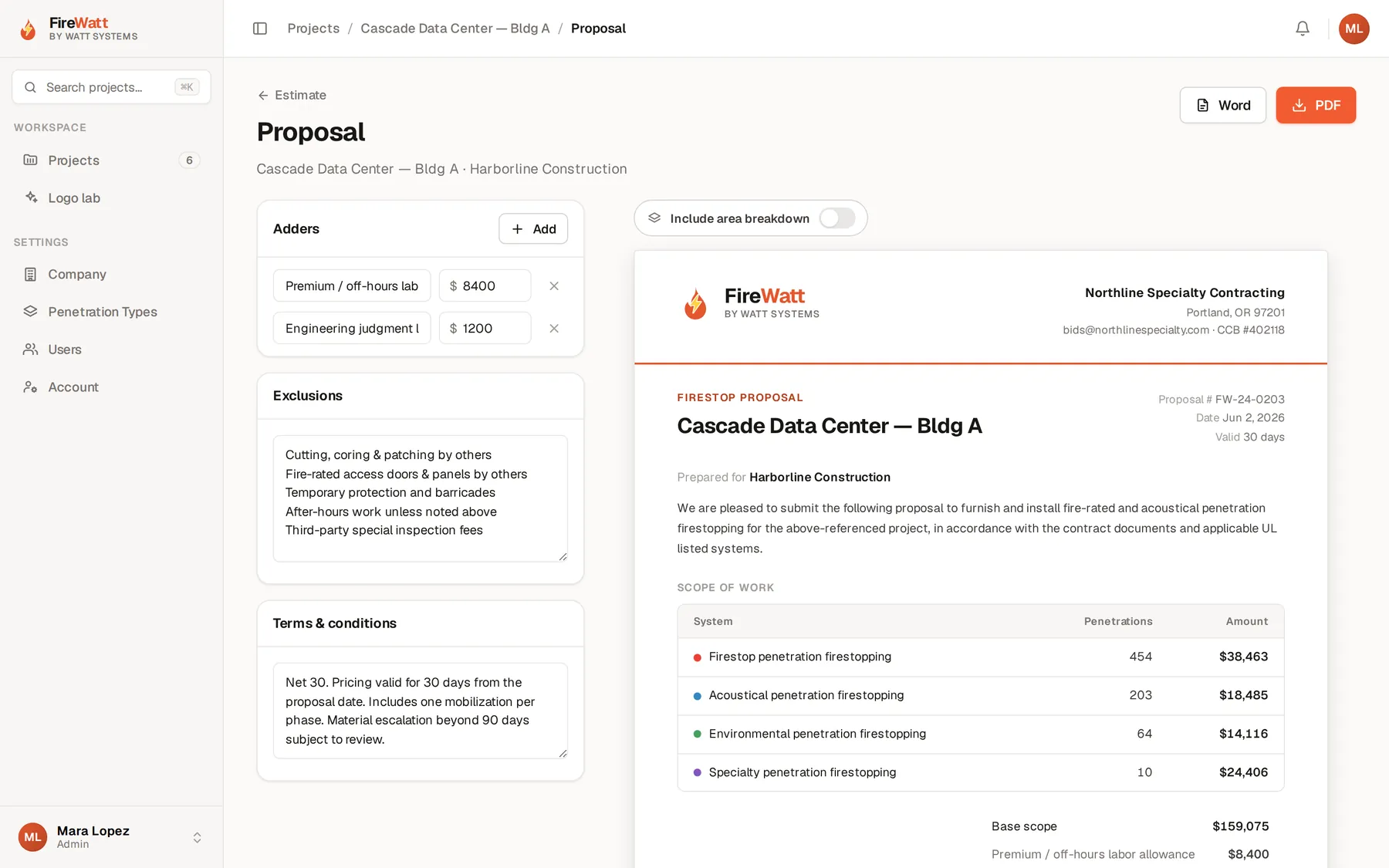
Proposal and submittals start from the same project.
The priced scope should not be disconnected from the documents used to sell and execute it. Generate the proposal and organize the UL and submittal information from the same project data where supported.
Keep the handoff visible.
Multiple people can work from the same project record instead of passing versions of spreadsheets and markup files around. Activity history and centralized project data make it easier to understand what changed and who changed it.
Project activity and history with multi-user project state.
FireWatt owns the firestop estimating lane — and can still join the spine.
Drawings, penetration conditions, rate tables, UL information and estimator assumptions.
Takeoff, penetration-type setup, pricing, and proposal and submittal preparation.
Bid status and project information can move into the broader Watt workflow where connected.
Where FireWatt Field Mode is enabled, installed and field information can return to the project.
Built for the people doing the work.
- Firestop estimators
- Firestop division managers
- Specialty contractors pricing self-performed firestopping
- Teams currently using PDF markup, spreadsheets and folders for the same bid
It should fit how you already work.
Firestop bids carry sensitive drawings, pricing and project information. How this is hosted, who can reach it, and how any AI feature handles documents is described on the Security & Data page — including the claims we will not make until they are verified. Read the Security & Data page →
We do not publish customer counts, time-savings percentages, certifications or integration claims we cannot show you in the product. If a capability is planned rather than shipped, we will say so on the call.
FireWatt, answered straight.
Does FireWatt replace Bluebeam?
FireWatt is focused on the firestop estimating workflow from drawing takeoff through pricing and bid documents. It is not a replacement for every general PDF task.
Can we use our own penetration rates and materials?
Yes. The system is built around your own rate tables, assumptions and methods.
Does it suggest UL systems?
Where the feature is enabled, FireWatt can surface relevant UL options while penetration types are created. Final selection and compliance judgment stay with you.
Can multiple estimators work on the same bid?
Collaborative project access is supported to the extent the current production app allows. Ask us what that looks like in the release you would be running.
Can it build submittals?
Submittal organization from the same project data is part of the workflow where the production version supports it. We will show you what is ready rather than selling the roadmap.
Stop rebuilding the same firestop bid in different files.
Bring one current estimating workflow to the demo. We’ll show how FireWatt can take the project from marked-up drawings through pricing and bid documents.